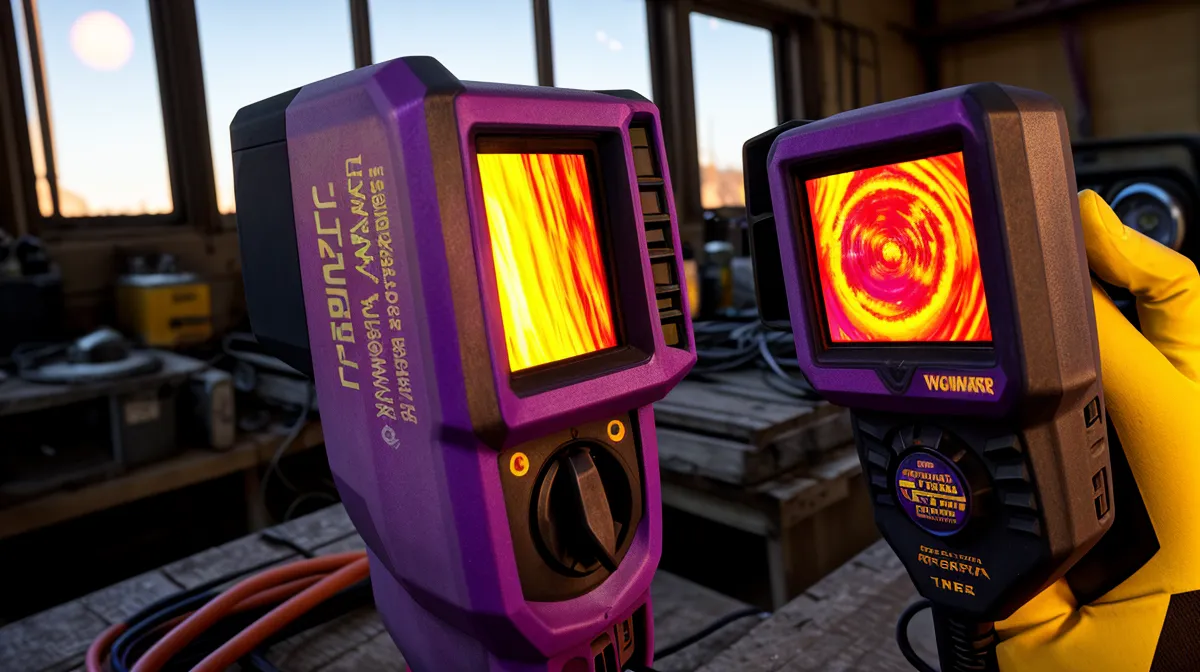
The plug-in meter reads 118 watts, and nothing in the house is actually doing anything. No lights on beyond the kitchen, no TV, nobody home except me and a garage full of test gear, and yet there's a steady draw running through the breaker panel like a background process nobody remembered to kill. That's a vampire load, the electrical version of a system update that quietly eats bandwidth for hours without ever finishing. I've been chasing numbers like this one for weeks, treating my own house the way I'd treat a support ticket: trace the signal from source to endpoint, find where it's leaking, and fix the physical layer before blaming the hardware sitting on top of it.
Three summers of $380 electric bills in a row will do that to a person. Somewhere around bill number three, I stopped assuming the fix was a bigger, shinier gadget in the garage and started assuming the fix was already sitting in the walls — an actual energy audit, done the unglamorous way, with a meter and a notepad instead of a sales pitch. In networking, you troubleshoot layer by layer using something like the OSI model — physical layer first, cables and connectors, before you start blaming whatever software is running on top of it. A house works the same way. Insulation, seals, and drywall are the physical layer, and it doesn't matter how efficient the air conditioner is if that layer is garbage.
Chasing Ghost Watts Through the Breaker Panel
My first move was the boring one — a cheap plug-in wattage meter and an afternoon spent walking room to room, checking every device that stays plugged in whether anyone's using it or not. I was hunting standby power, the stuff nobody thinks about because it never shows up as its own line item, just a slow bleed baked into the total.
Numbers came out uglier than expected. The gaming PC pulled fifteen watts in sleep mode, doing nothing except waiting to be told what to do. The networking gear — router, modem, an old switch I never bothered replacing — sat at a steady thirty watts around the clock. And the ancient fridge out in the garage, the one that exists purely to hold science-experiment leftovers and the occasional six-pack, cycled hard against the heat and averaged seventy-three watts just fighting a hundred-degree room. Add it up and you get a hundred and eighteen watts of hardware doing nothing useful, all day, every day — which works out to about 2.83 kilowatt-hours every twenty-four hours, roughly 85 kWh over a month. At a little over a dime per kWh off-peak, that's close to $11.89 a month just to keep things plugged in, which sounds small until you notice it's over $140 a year for absolutely nothing.
Every time a probe grazes a live terminal to double-check one of those readings, the meter gives its usual three quick beeps and locks the display like it's daring me to argue with it. This time I didn't.
Why I Almost Paid Someone Else to Fix This
Before any of this, my actual first instinct wasn't an audit at all — it was to throw hardware at the problem and skip the diagnostic step entirely. I called two local solar installers, described roughly what I needed to cover my load, and both came back with quotes landing well into a five-figure sum before any incentives kicked in. That's a car. A nice one. It's also the moment I decided that generating more power is pointless if the house upstream is hemorrhaging half of what it already has, so I put the panel conversation on hold and picked up a meter instead.
Running the Audit Room by Room
The worst leak turned up somewhere I wasn't expecting. A cheap thermal-camera add-on for my phone — the kind of thing you find on a folding table at the swap meet by Gila River Arena in Chandler, sitting next to a stack of used phone cases — lit up a deep purple blotch behind the dishwasher. Pulling the dishwasher out revealed an unsealed hole in the drywall where the plumbing ran through, basically an open tunnel from a wall cavity baking in the Phoenix heat straight into the air-conditioned kitchen.
Tariq Belmahi — a guy I met at a home expo who spent years as an HVAC technician before he started building his own off-grid setup — wasn't remotely surprised when I described it. Airflow and pressure are his whole professional instinct, and his first question wasn't the temperature reading at all, it was what the pressure looked like on either side of that gap.
Thermal Cameras Lie More Than the Marketing Admits
Here's the part that gets left out of most DIY efficiency posts. A thermal camera alone will send you chasing ghosts — a stud in the wall reads hotter than the insulation right next to it every single time, and that doesn't mean anything is actually wrong. What matters is pressure, not just color on a screen, so I switched to a lit incense stick held near outlets and baseboards while the AC ran. If the smoke gets pulled sideways into the wall or blown straight back at you, that's a real leak. If it just drifts, you're looking at a stud, not a problem.
That swap-meet thermal add-on, left to its own devices, would have sent me tearing into perfectly good drywall over nothing more than a stud pattern — which is exactly the overreaction the incense-stick check exists to prevent. It's the same lesson I ran into while trying to make sense of real numbers from my magnetic generator experiment: you can generate all the power in the world, but if the load side is leaking, you're just feeding the desert heat for free.
What Vince Would Call a Small Sample Size
My coworker Vince Paderewski, who sits two desks over in IT and has quietly become the equipment library for half my experiments, took one look at my wattage log and asked how many times I'd actually re-measured that 118-watt number before writing it down. Vince has never once let a number of mine pass without interrogating the sample size behind it, and this was no exception.
He's not wrong that I've got too many open experiments running at once — there's a still-unresolved argument in my head over PWM versus MPPT charge controllers for the battery bank, a separate debate about wiring the next panel expansion in series or parallel, and a nagging feeling that the pure sine inverter I'm running is overkill for half of what's plugged into it. None of that has anything to do with vampire loads specifically, but it's why the garage always looks like three unrelated projects collided at once.
Seven Weeks In: What Actually Changed
Before wiring in smart timers on the worst vampire-load offenders, I went back and reread my own 5 Wiring Mistakes I Made So You Don't Burn Your Garage Down, mostly to avoid repeating something I'd already written up as a warning for other people. Seven weeks after I started actually logging kilowatt-hours instead of guessing, the picture looked different enough that I checked the utility app twice to make sure I wasn't misreading it. Between the standby power killed by timers and the leaks sealed properly with weatherstripping and silicone caulk, the math landed at something like a fifteen percent cut off that $380 bill during peak season — in the neighborhood of $57 a month.
While cross-checking that number, I glanced at the small test battery bank running in the corner for an unrelated project, and the multimeter clipped to it held a steady 14.1 volts without the grid ever getting touched — a nice, unrelated confirmation that the rest of the system was behaving while the house upstream finally wasn't bleeding watts for no reason. I still haven't settled whether that bank is sized right for what I actually pull from it overnight, and the tilt angle on the panels out back is its own unresolved argument with the roofline, but those are different tickets entirely.
The One Fix That Actually Mattered
I keep coming back to the same answer whenever someone asks whether they should buy a bigger array or a fancier battery first: fix the leaks before you scale up generation, because a hundred and eighteen watts of ghost load doesn't care how many panels end up on the roof. That's the actual takeaway here — not the meter, not the thermal-camera dongle, not even the incense stick. Map what's leaking before you spend money making more of it, and the power company stops feeling like it's billing you for a car payment every month.