Twenty-seven watts, continuous. That is what my watt meter clocked coming out of my home office with every monitor dark, the PC asleep, and nobody in the room, enough phantom load, running around the clock, to keep a laptop charger plugged in forever without ever actually charging a laptop. I only caught it because I finally treated my own desk the way I treat a flaky switch at work: stop guessing about what is using power and start measuring it. That is what energy monitoring is actually for. A real home office energy audit is not about unplugging everything out of guilt — it is a DIY power audit that sorts your gear into two piles: what is worth its standby draw, and what is just quietly billing you for nothing.
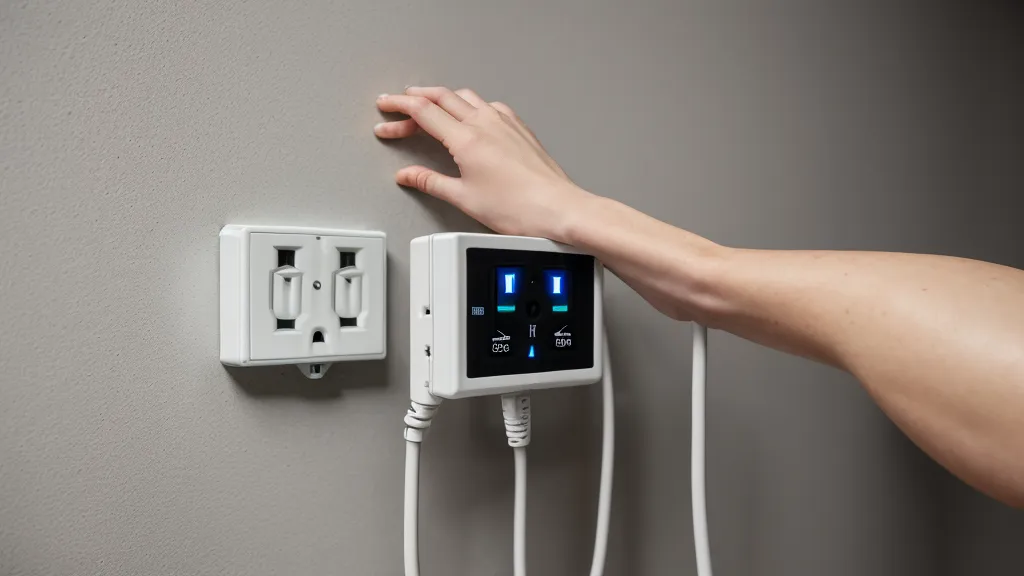
Rosario, two doors down, is usually the first to ask whether any of this actually moves the needle on a bill. It is a fair question, and it is the one I bring to my own desk: does killing a device's standby draw save more than the hassle of switching it off costs? The only way to answer that with a real number instead of a guess is a plug-in watt meter, which is basically a packet sniffer for a wall outlet. It sits between the socket and the device, reading amperage and active draw while the thing just sits there doing nothing.
Guessing vs. Measuring: Where the Audit Starts
The habit goes back to something I noticed on the side of the house last year: the old analog meter disc spinning noticeably slower than Rosario's during the harshest stretch of a summer afternoon, which felt like proof of something even though I could not have told you what. That is the trap with electricity, it is invisible, so you end up trusting a feeling instead of a number. Two years into testing DIY energy setups, I have learned that "feels wasteful" and "is wasteful" get measured in different currencies. Inside the office, I was not going to make that mistake twice. I pulled the desk away from the wall and plugged the meter into every device on the circuit, one at a time, writing down the readings instead of trusting my gut about which gadgets seemed worst.
The Low-Drain Bucket: Gear Worth Leaving Alone
My PC turned out to be the boring case. In sleep mode, the meter held steady around 1.6 watts, barely worth mentioning, and lower than I expected. Each monitor added roughly 0.7 watts on top of that, so the whole "core" rig — tower, both screens, the cable modem, and the router in the closet — sat under 4 watts combined while idle. None of that is worth chasing. Four watts, left alone for a year, is not worth the hassle of a kill switch, and unplugging any of it just means a slower boot and a router that has to re-handshake with the ISP every morning.
Which Phantom Loads Are Worth Killing?
The legacy gear told a different story. An old set of computer speakers, the kind with a wall-wart transformer that stays warm to the touch even at zero volume, pulled a flat 7.5 watts whether they were playing anything or not. A cheap unpowered USB hub added another 2.6 watts just to keep its little status light lit, and a laser printer parked in its supposed sleep mode idled at 11 watts because the fuser never fully lets go of its heat. Stack those three together and the office was bleeding roughly 21 watts on hardware doing nothing useful, on top of the handful of watts from gear that actually earns its keep. Obinna, from the maker space where I borrow bench space, would probably have read the full datasheet on every one of those before plugging anything in; I just trusted the meter, which is usually a different number than what is printed on the box.
In Phoenix, that 21 watts is not just wasted electricity. It is 21 watts of heat the air conditioner then has to pull back out of the room, which is its own tax stacked on top of the first one.

When Killing the Power Costs More Than Leaving It On
Not every idle watt deserves the guillotine, though. My photo printer runs a cleaning cycle every time it gets power-cycled from a hard off, chewing through ink and pulling a noticeable surge for the better part of a minute. Cutting its power overnight to save maybe a single watt of standby draw just means paying for that cleaning cycle again every morning, a bad trade by any measure. The USB hub and the ancient speakers have no such excuse. There is no startup penalty for a speaker; flipping it back on costs nothing but a flick of a switch. That is the actual test I use now: does killing this device's power cost more in restart overhead than its standby draw costs in electricity? If yes, leave it alone. If no, it goes on the kill list.
Building a Two-Zone Power Strip System
Acting on that rule meant splitting the office into two physical zones instead of one power strip for everything. The stay-on strip carries the router, the modem, and the PC, low-drain gear, or gear with an expensive restart. The second strip, picked up on a supply run to the Home Depot on Bell Road in Scottsdale, is a switched unit with a single throw: speakers, USB hub, printer, and desk lamp all die together the moment I flip it at the end of the workday. It is the same logic behind what I have been reading up on in Beating the Phoenix Heat: My DIY Journey Through Off-Grid Power Solutions — the fewer things quietly pulling from the panel, the less everything else has to work to keep up. I am also eyeing Wiring a Home Energy Management System for Better Daily Power Use as a way to automate the switch itself, so the kill zone drops the instant the PC falls asleep instead of waiting on me to remember.
So What's Actually Worth Switching Off?
None of this replaces the bigger swings. I had already tried enrolling in APS's demand-response program, letting the utility nudge my thermostat a couple of degrees on peak summer afternoons in exchange for a credit on the bill, and two sweaty August evenings later, the credit that showed up was not worth bragging about. A desk audit will never touch that kind of math. What it does is close a small, avoidable leak for free, 21 watts of hardware doing nothing, gone, without giving up a single convenience I actually use. The rule I go by now: if a device's standby draw is higher than what a restart costs in time, ink, or hassle, it goes on the switched strip and stays off when nobody is around. If the restart is the expensive part, a cleaning cycle, a slow boot, a router renegotiating with the ISP, leave it asleep and stop worrying about it. Rosario still asks whether any of this shows up on a bill, and the honest answer is a little, not a lot. A little, for free, is still worth having.